A timely pause.
A simple password.
Verify access at startup, when a watched browser window opens, or at a random interval you choose. Add checks after inactivity and Windows unlock.
 WindowsLock.
Get WindowsLock
WindowsLock.
Get WindowsLock
BUILT FOR WINDOWS 11
A little more control. A little more peace of mind. Add password checks, restrict selected apps, and get Gmail alerts—all from your Windows tray.
Microsoft Store edition • Coming soon
WindowsLock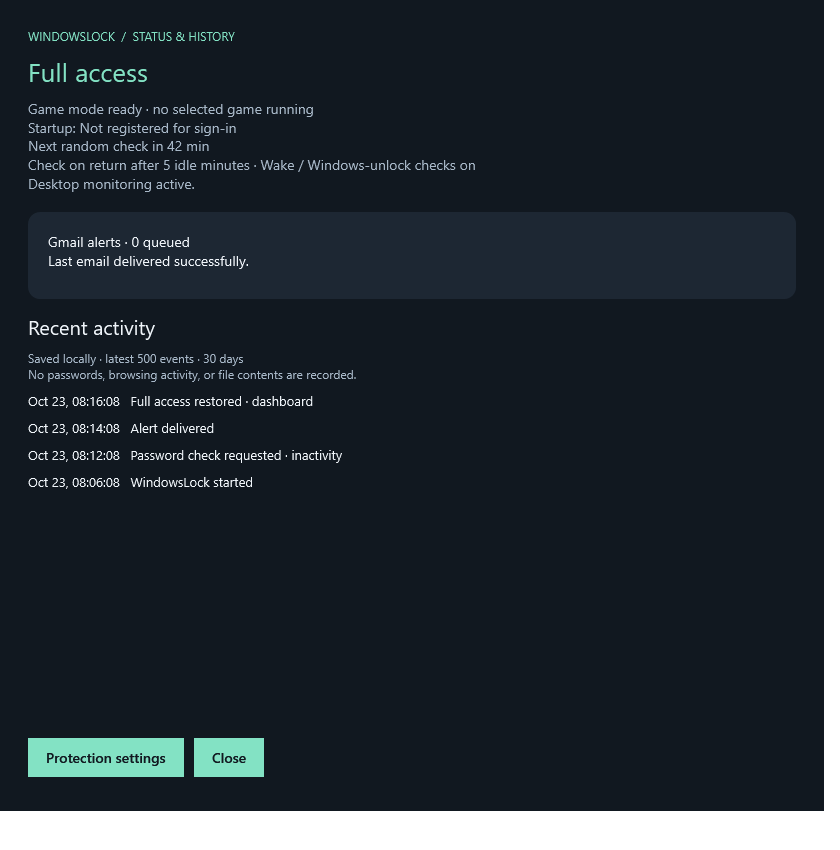
A small app.
Thoughtful control.
SMALL APP. USEFUL BOUNDARIES.
Pick your boundaries, set your rhythm,
and let WindowsLock handle the check-ins.
Verify access at startup, when a watched browser window opens, or at a random interval you choose. Add checks after inactivity and Windows unlock.
After three incorrect attempts, limited mode closes selected apps and matching Explorer folder windows. Verify successfully to restore access.
Receive failed-check alerts through your own Gmail account. If delivery fails, alerts queue locally and retry when the connection is available.
Optional game mode pauses random, browser, and inactivity checks while selected games run. Wake and unlock checks still apply.
Forgot your passcode? Use your saved offline recovery code or request an email reset to your configured inbox.
A FEW STEPS. YOUR OWN SETUP.
You decide when protection starts.
WindowsLock takes it from there.
Select the executable paths and Explorer folders you want WindowsLock to restrict in limited mode.
Use a Gmail app password, send a test email, and save your offline recovery code somewhere safe.
Choose your check intervals and optional game mode. Find settings, status, and history in the system tray.
YOUR COMPUTER. YOUR INFORMATION.
WindowsLock keeps its settings and event history on your PC. Gmail handles your configured email alerts; Microsoft handles Store licensing.
Explore privacy & dataInactivity checks use time since input, not what you type.
Browser checks detect windows, not the pages inside.
Local event records aren’t sent to a developer server.
MICROSOFT STORE EDITION · COMING SOON
WindowsLock is being prepared for the Microsoft Store. The planned offer keeps things simple.
$0.99 USD
A 7-day free trial is planned.
Final pricing, trial availability, and regional prices will be confirmed in the Microsoft Store. An active Store license will be required.
GOOD TO KNOW
Simple tools work best with
clear expectations.
WindowsLock adds password checks and restrictions to your current Windows account as a deterrent to casual use. It is not a secure kiosk, a replacement for Windows sign-in, or protection against someone with administrator access. Stopping the app stops its monitoring.
No. Folder restrictions close matching File Explorer windows, including their tabs. They do not encrypt files or change permissions. Other apps and file dialogs can still access those files. Use Windows account permissions or encryption for stronger separation.
Each check allows three attempts. The third incorrect attempt activates limited mode, closes selected apps, and queues a Gmail alert. Apps may briefly launch before being closed, and unsaved work can be lost. Successful verification restores access, but does not reopen closed apps.
Setup uses your Gmail sender account, an app password, and your chosen recipient. Alerts and email recovery need a working connection. Local restrictions do not depend on email delivery. Store licensing may work offline when Microsoft has a valid cached license available.
Yes. Enable game mode and choose your game executable paths. While a selected game is running and you already have full access, random, new-browser-window, and inactivity checks pause. Startup, wake, Windows-unlock, and manual verification still apply. Game mode cannot dismiss an existing prompt or unlock limited mode.
The Microsoft Store edition is being prepared and no live listing is available yet. The intended offer is a one-time US $0.99 purchase with a seven-day trial, subject to the final Store configuration. A loose executable cannot substitute for an active Store license.